
01.
Discovery & Audit
We map your current inbox workflows, message volumes, SLA requirements and team structure.
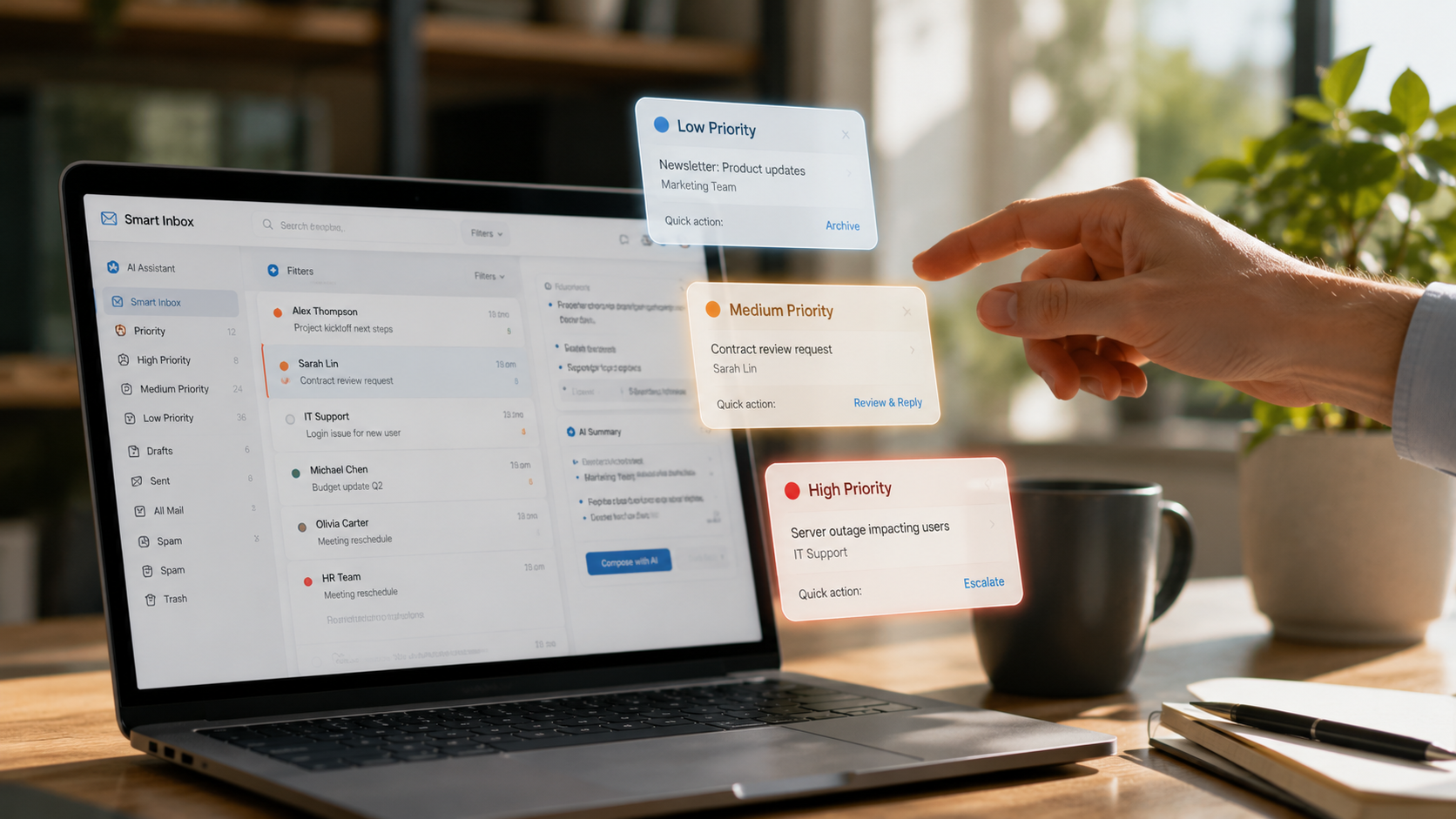
Every email, helpdesk ticket, WhatsApp message and web form submission carries intent , a sale to close, a problem to solve, a complaint to defuse. Without classification, all of it lands in the same queue and waits for a human to sort it. That sorting is expensive, slow and almost entirely unnecessary.
We build AI triage systems that read, classify and route every inbound message the moment it arrives. The right message reaches the right person or gets auto-resolved without a human ever touching it. SLA timers start the moment a message lands. Priority escalations happen automatically. Replies go out in seconds, not hours.
The result is a team that spends its time on genuinely complex work , not deciding where to send things.
We train classification models on your actual message history. The result is not a generic filter , it is a system that understands your business taxonomy, your customer language and your escalation rules.


AI reads every message, assigns intent, priority and owner , then fires the right workflow automatically.
Discuss classification
Routine queries are auto-resolved with drafted responses. Complex cases escalate to humans with full context attached.
Discuss replies
We map your current inbox workflows, message volumes, SLA requirements and team structure.

We train custom classification models on your actual message history and configure routing logic to match your business taxonomy.
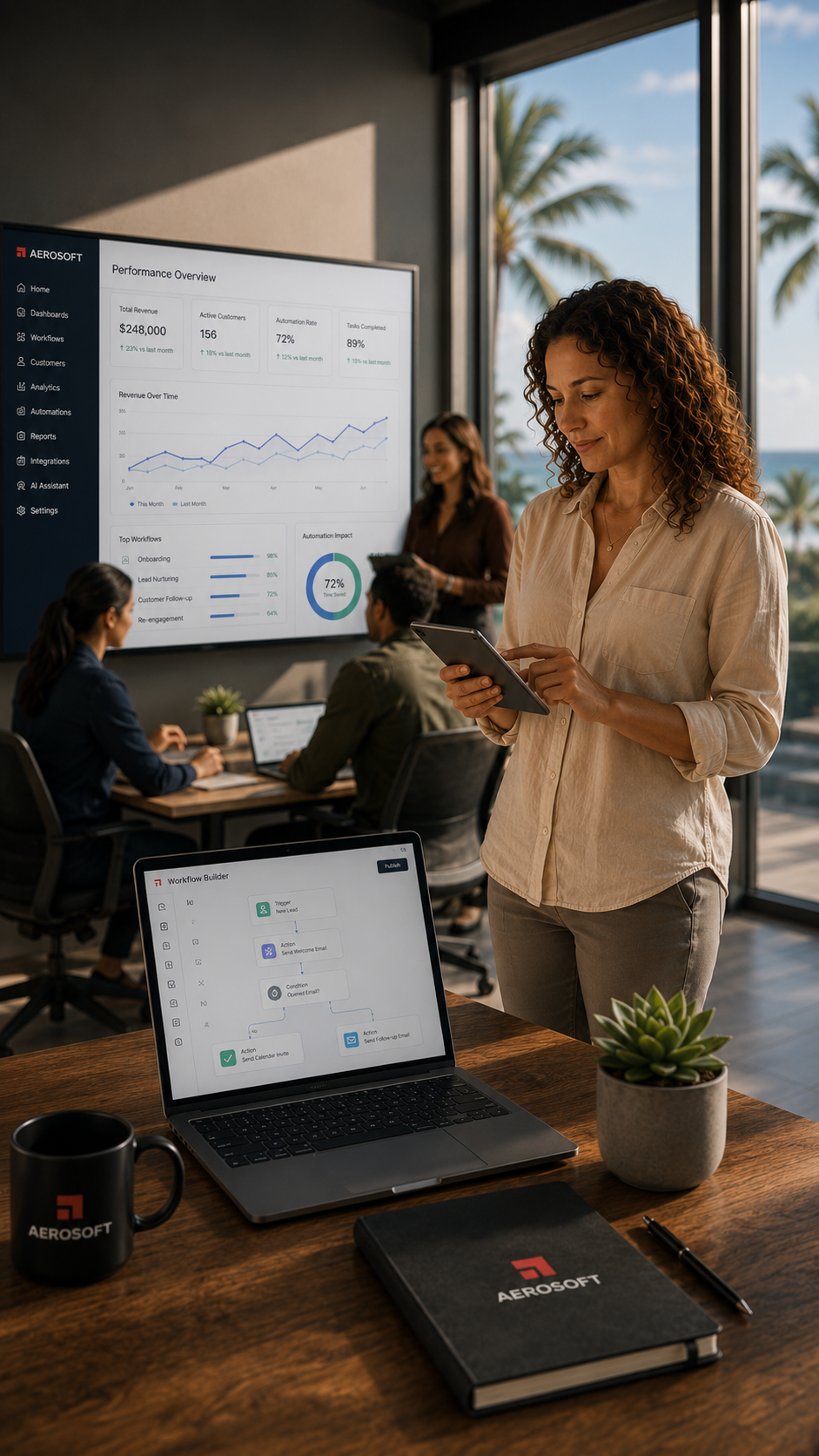
Live deployment with dashboards showing classification accuracy, SLA compliance and exactly how much time triage automation recovers.
Every inbound message , email, helpdesk ticket, WhatsApp, web contact form or SMS , is captured into a single unified pipeline. We connect directly to your existing platforms including Gmail, Outlook, Zendesk, Intercom and custom API endpoints, normalising message format, sender identity and timestamp so your team works from one consolidated queue.
Before a message reaches any human, AI reads and classifies its intent , sales enquiry, technical support, billing dispute, compliance concern or formal complaint. Classification models are trained on your historical message data, achieving accuracy above 94%. Custom labels and sub-categories match your exact business taxonomy.
Every classified message is assigned a priority level based on your SLA rules, sender history, keyword detection and business hours. Urgent messages are routed immediately. SLA breach warnings trigger automatic escalation before deadlines are missed.
For every classified message the system generates a contextually appropriate draft response. Routine queries can auto-send without human review. Complex or sensitive messages enter a review queue where a team member can approve, edit or escalate before sending.
Escalation rules define exactly when the system hands off to a human: multiple unanswered follow-ups, emotional language, VIP sender identification, regulatory keywords or any custom trigger you define. Team members can pause automation on any thread, reassign it or flag it for manager review.
Every classified and routed message is synchronised back into your CRM or support platform. Native integrations with HubSpot, Salesforce, Zendesk and Freshdesk ensure contact records and communication logs are always up to date. Deal stages update automatically when sales enquiries arrive.
Inbox triage automation uses AI to read, categorise and route incoming emails, messages and support tickets without human intervention. The AI reads each message, determines its topic, urgency and required action, then routes it to the right team member, creates a task, sends an acknowledgement or even drafts a response for human review. This eliminates the bottleneck of a shared inbox that nobody manages efficiently.
We build inbox automation for email inboxes (including shared inboxes like info@, support@, sales@), WhatsApp Business, website chat, SMS and social media direct messages. All channels feed into a unified triage system where the AI categorises and routes messages consistently regardless of where they came in.
Yes. We build AI drafting systems that generate a contextually appropriate reply for each inbound email, ready for human review and one-click sending. The AI draws on your business knowledge base, previous reply patterns and current context to produce accurate, on-brand responses. This dramatically reduces the time your team spends writing routine emails.
We train the routing logic on your specific categories: sales enquiries go to sales, support requests go to the relevant technical team, invoicing queries go to finance, press enquiries go to marketing. The AI learns from examples and can handle ambiguous messages by routing to the most likely handler or flagging for human review when genuinely uncertain.
Yes. We configure escalation rules based on message content, sender identity and urgency signals. A complaint from a major client, a time-sensitive compliance request or a security incident can be flagged and escalated immediately via SMS, Slack or email notification, bypassing the normal queue to ensure nothing critical is missed.
You choose the level of AI autonomy for each category of message. Fully autonomous responses (no human review) work well for simple, standard enquiries like opening hours, pricing requests and basic FAQs. Draft-for-review is better for complex or sensitive messages. Triage-only keeps humans in the loop for all responses while the AI handles sorting and prioritisation. Most clients use a combination of all three.
Yes. We integrate inbox automation with CRM platforms like HubSpot, Salesforce and Pipedrive, and helpdesk tools like Zendesk and Freshdesk. When a message arrives from a known contact, the AI can pull their CRM record for context. When a new enquiry arrives, it can create a lead or ticket automatically and log all subsequent communications against the right record.
With proper training and configuration, accuracy rates of 90-98% are typical for well-defined message categories. The AI improves over time as it processes more examples. We monitor accuracy continuously and provide a feedback mechanism so your team can correct mis-routings, which the system learns from. Low-confidence categorisations are always flagged for human review rather than routed incorrectly.
Yes. Email processing uses encrypted connections, and message content is processed in secure, compliant AI infrastructure. We do not store full email content beyond what is necessary for processing, and we configure data retention in line with your privacy policy and applicable regulations in the Cayman Islands. Sensitive content categories can be excluded from AI processing if required.
Yes. We build AI knowledge bases from your existing documentation, FAQs, product information and historical responses. The AI uses this to answer common questions accurately and consistently without human involvement. For Cayman service businesses, this is particularly valuable for high-volume enquiry categories like pricing, availability, location and service specifications.
A focused inbox triage and routing system can be operational within two to four weeks. Implementations that include custom AI drafting, multi-channel integration and CRM connectivity typically take four to eight weeks. We begin with a discovery session to map your communication flows and identify the highest-value automation points before building anything.
All AI actions are logged and auditable. Where the system operates in draft-for-review mode, errors are caught before anything reaches the customer. Where the AI sends autonomously, we configure confidence thresholds below which messages are held for human review. We monitor error rates continuously and retrain or adjust the system when patterns of error appear. No AI system is perfect, which is why human oversight mechanisms are always built in.
Yes. Modern AI language models handle a wide range of languages. For Cayman businesses receiving communications in English, Spanish, French or other languages, the AI can detect the language, process the message appropriately and route it to a team member or draft a response in the appropriate language. This is particularly useful for hospitality businesses serving international guests.
Yes. Inbox automation dashboards provide real-time visibility into message volumes, categorisation breakdown, average response times, resolution rates and backlog. This gives management the operational intelligence to identify bottlenecks, measure team performance and set data-driven response time targets. Most Cayman businesses discover significant improvements in response time metrics within the first month of deployment.
Contact us at aerosoft.ky/quote or call +1 (345) 516-5569. We start with a free communication audit to understand your current inbox volumes, categories and pain points. Most inbox automation implementations can begin within two weeks of agreement and are operational within the first month.
Book a free discovery call and we’ll show you how much time triage automation recovers for your team.
Request a quote